

Syed Saad Ali

Oracle ACE Pro

Oracle Solution Architect

Oracle E-Business Suite

Oracle Cloud Infrastructure

Oracle Fusion Middleware

Oracle Database Administration

Oracle Weblogic Administration

Syed Saad Ali

Oracle ACE Pro

Oracle Solution Architect

Oracle E-Business Suite

Oracle Cloud Infrastructure

Oracle Fusion Middleware

Oracle Database Administration

Oracle Weblogic Administration

Home

About Me

Technically-sophisticated professional with extensive experience in updating server security, executing routine back-ups, and designing and implementing tests of the system to address issues with accessing data

  • Adept at leading the planning, designing, developing, testing, and deploying efficient solutions within Oracle EBS system, in order to satisfy strategic, financial, and operations needs of the organization.
  • Skilled in planning and managing successful projects, mitigating risks, controlling costs, and directing project teams. Instrumental in monitoring routine maintenance of system, implementing the ERP systems, and approving budget.
  • Proven success in analyzing business processes/process re-engineering and recommending solutions. Deft at establishing IT service continuity management strategies, disaster recovery plans and associated test procedures of each critical functional area of the organization.
  • Age: 37
  • Residence: Pakistan
  • Freelance: Available
  • Address: Karachi, PAKISTAN
My Services
Oracle E-Business Suite Upgrade
Oracle E-Business Suite Migration
Oracle Database Upgrade or Migrate
Oracle Maximum Availability Architecture
Performance Evaluation
Pricing
Hire Me On Upwork
$ 35 Hour
  • Database Administration
  • Oracle E-Business Suite Administration
  • Configuration, Administration, Cloning, Patching, Migrating, Support, Maintenance, Monitoring, tuning and capacity planning, User Management, Backup/Recovery Management

Hire Me on Fiverr
$ 35 Hour
  • Database Administration
  • Oracle E-Business Suite Administration
  • Configuration, Administration, Cloning, Patching, Migrating, Support, Maintenance, Monitoring, tuning and capacity planning, User Management, Backup/Recovery Management
Hire Team
$ 40 Hour
  • Database Administration
  • Oracle E-Business Suite Administration
  • Configuration, Administration, Cloning, Patching, Migrating, Support, Maintenance, Monitoring, tuning and capacity planning, User Management, Backup/Recovery Management

Resume

Experience
2024-
Senior Apps DBA
Private Contractor
My role includes infrastructure support, capacity planning, installation, configuration, database design, and migration, up gradation, performance monitoring, security,  database backups, data recovery plan, and procedures including application server administration
Senior Apps DBA
2022- 2024
Senior Apps DBA
Computer & Systems Engineering Company
My role includes infrastructure support, capacity planning, installation, configuration, database design, and migration, up gradation, performance monitoring, security,  database backups, data recovery plan, and procedures including application server administration
Lead Infrastructure Consultant
2020-2021
Lead Infrastructure Consultant
ITANZ Group
Managed Oracle cloud infrastructure, compute, storage, networking, connectivity, and edge service, database management, analytics, integration, and Oracle weblogic clustering environment over Oracle Cloud IAAS.  Collaborated with the Oracle corporation staff for offering technical support to diagnose and troubleshoot common problems.
Professional Freelancer
2020 - 2022
Professional Freelancer
Upwork Inc.
Collaborated with Clients for the Task Related to Oracle Database, Oracle E-Business Suite, Oracle Cloud Infrastructure, Oracle Weblogic
Assistant Director (Databases)
2015-2020
Assistant Director (Databases)
Pakistan Civil Aviation Authority
Managed ERP for implementing the structures effectively, while limiting the resources consumed in the planning process. Improved IT/business processes and investigations to resolve the user’s issues as well as offered user’s training to help the user in operating the system in efficient way.
Education
Newports Institute Of Communication & Economics
2008 - 2011
Newports Institute Of Communication & Economics
Pakistan

Newports Institute Of Communication & Economics offers a B.S. in Computer Science.

Certificate
Oracle University
2013
Oracle University
USA

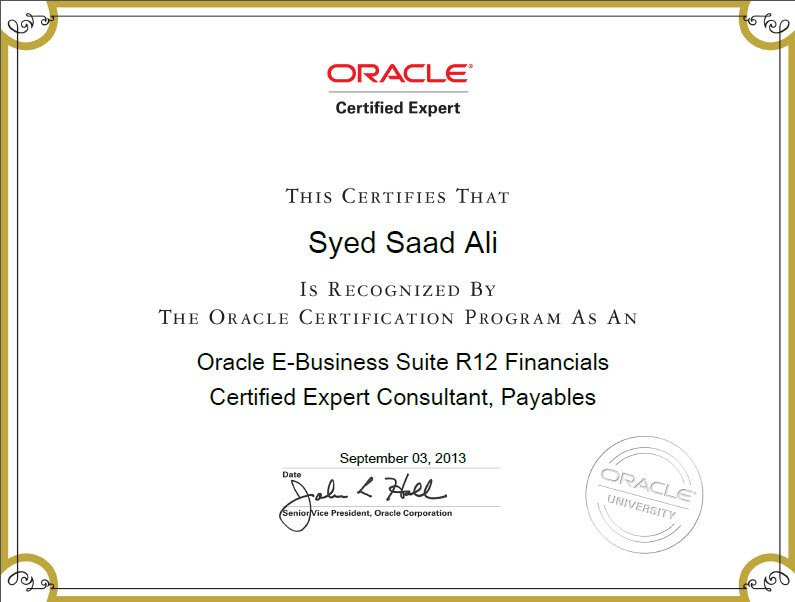
Oracle E-Business Suite R12 Financials Certified Expert  Consultant, PAYABLES 

Certificate
Oracle University
2013
Oracle University
USA

Oracle E-Business Suite R12 Financials Certified Expert  Consultant, PAYABLES 

Certificate
Oracle University
2014
Oracle University
USA

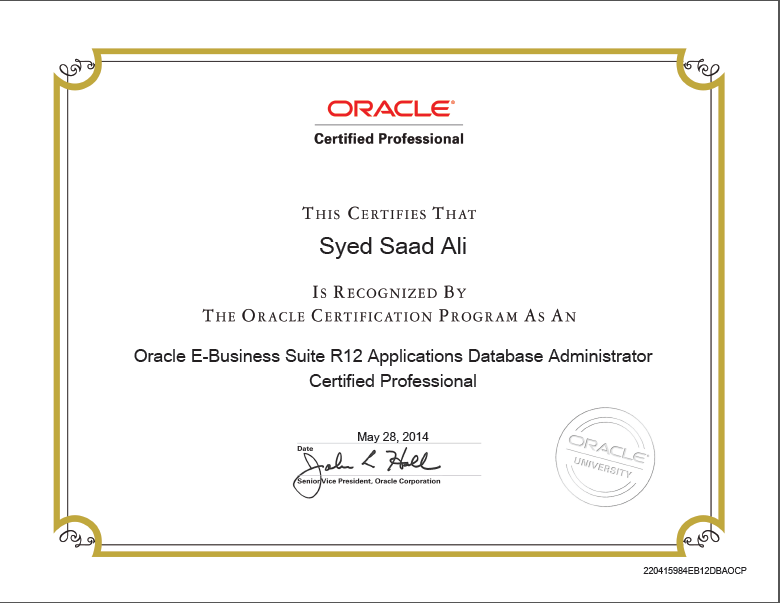
Oracle E-Business Suite R12 Applications Database Administrator Certified Professional 

Certificate
Skills
Oracle Expertise
  • Oracle Databases
  • Oracle E-Business Suite
  • Oracle Weblogic
  • Oracle Cloud Infrastructure
  • Oracle Database Appliances
Languages
  • English
System
  • Linux
    90%
  • Microsoft
    75%
  • SOLARIS
    65%
  • AIX
    60%
Knowledge
  • Installation/Configuration
  • Capacity Planning
  • Data Recovery Plan
  • Oracle Database Migration and Upgrade
  • Oracle ERP Migration and Upgrade
  • Linux and Windows management
  • Performance Evaluation

Blog

September 1, 2017 RAC Management Commands
Installation/Configurations10g

Basic RAC Management Commands


Cluster Related Commands

crs_stat -t Shows HA resource status (hard to read)
crsstat Ouptut of crs_stat -t formatted nicely
ps -ef|grep d.bin crsd.bin evmd.bin ocssd.bin
crsctl check crs CSS,CRS,EVM appears healthy
crsctl stop crs Stop crs and all other services
crsctl disable crs* Prevents CRS from starting on reboot
crsctl enable crs* Enables CRS start on reboot
crs_stop -all Stops all registered resources
crs_start -all Starts all registered resources

* These commands update the file /etc/oracle/scls_scr/<node>/root/crsstart which contains the string “enable” or “disable” as appropriate.

Database Related Commands

srvctl start instance -d <db_name> -i <inst_name> Starts an instance
srvctl start database -d <db_name> Starts all instances
srvctl stop database -d <db_name> Stops all instances, closes database
srvctl stop instance -d <db_name> -i <inst_name> Stops an instance
srvctl start service -d <db_name> -s <service_name> Starts a service
srvctl stop service -d <db_name> -s <service_name> Stops a service
srvctl status service -d <db_name> Checks status of a service
srvctl status instance -d <db_name> -i <inst_name> Checks an individual instance
srvctl status database -d <db_name> Checks status of all instances
srvctl start nodeapps -n <node_name> Starts gsd, vip, listener, and ons
srvctl stop nodeapps -n <node_name> Stops gsd, vip and listener


September 1, 2017 CRS Administration
Installation/Configurations10gInstallation/Configurations11gInstallation/Configurations12cOracle Database Material

CRS Administration


CRS Administration

starting ## Starting CRS using Oracle 10g R1
not possible
## Starting CRS using Oracle 10g R2
$ORA_CRS_HOME/bin/crsctl start crs
stopping ## Stopping CRS using Oracle 10g R1
srvctl stop database -d <database>
srvctl stop asm -n <node>
srvctl stop nodeapps -n <node>
/etc/init.d/init.crs stop

## Stopping CRS using Oracle 10g R2
$ORA_CRS_HOME/bin/crsctl stop crs

disabling/enabling ## use to stop CRS restarting after a reboot

## Oracle 10g R1
/etc/init.d/init.crs [disable|enable]

## Oracle 10g R2
$ORA_CRS_HOME/bin/crsctl [disable|enable] crs

checking $ORA_CRS_HOME/bin/crsctl check crs
$ORA_CRS_HOME/bin/crsctl check evmd
$ORA_CRS_HOME/bin/crsctl check cssd
$ORA_CRS_HOME/bin/crsctl check crsd
$ORA_CRS_HOME/bin/crsctl check install -wait 600

Resource Applications (CRS Utilities)

status $ORA_CRS_HOME/bin/crs_stat
create profile $ORA_CRS_HOME/bin/crs_profile
register/unregister application $ORA_CRS_HOME/bin/crs_register
$ORA_CRS_HOME/bin/crs_unregister
Start/Stop an application $ORA_CRS_HOME/bin/crs_start
$ORA_CRS_HOME/bin/crs_stop
Resource permissions $ORA_CRS_HOME/bin/crs_getparam
$ORA_CRS_HOME/bin/crs_setparam
Relocate a resource $ORA_CRS_HOME/bin/crs_relocate

Nodes

member number/name olsnodes -n
local node name olsnodes -l
activates logging olsnodes -g

Oracle Interfaces

display oifcfg getif
delete oicfg delig -global
set oicfg setif -global <interface name>/<subnet>:public
oicfg setif -global <interface name>/<subnet>:cluster_interconnect

Global Services Daemon Control

starting gsdctl start
stopping gsdctl stop
status gsdctl status

Cluster Configuration (clscfg is used during installation)

create a new configuration clscfg -install
upgrade or downgrade and existing configuration clscfg -upgrade
clscfg -downgrade
add or delete a node from the configuration clscfg -add
clscfg -delete
create a special single-node configuration for ASM clscfg -local
brief listing of terminology used in the other nodes clscfg -concepts
used for tracing clscfg -trace
help clscfg -h

Cluster Name Check

print cluster name cemulto -n

Note: in Oracle 9i the ulity was called “cemutls”

print the clusterware version cemulto -w

Note: in Oracle 9i the ulity was called “cemutls”

Node Scripts

Add Node addnode.sh

Note: see adding and deleting nodes

Delete Node deletenode.sh

Note: see adding and deleting nodes

En queues

displaying statistics SQL> column current_utilization heading current
SQL> column max_utilization heading max_usage
SQL> column initial_allocation heading initial
SQL> column resource_limit format a23;

SQL> select * from v$resource_limit;

Messaging (tickets)

ticket usage select local_nid local, remote_nid remote, tckt_avail avail, tckt_limit limit, snd_q_len send_queue, tckt_wait waiting from v$ges_traffic_controller;
dump ticket information SQL> oradebug setmypid
SQL> oradebug unlimit
SQL> oradebug lkdebug -t

Lighwork Rule and Fairness Threshold

downconvert select cr_requests, light_works, data_requests, fairness_down_converts from v$cr_block_server;

Note: lower the _fairness_threshold if the ratio goes above 40%, set to 0 if the instance is a query only instance.

Remastering

force dynamic remastering (DRM) ## Obtain the OBJECT_ID form the below table
SQL> select * from v$gcspfmaster_info;
## Determine who masters it
SQL> oradebug setmypid
SQL> oradebug lkdebug -a <OBJECT_ID>

## Now remaster the resource
SQL> oradebug setmypid
SQL> oradebug lkdebug -m pkey <OBJECT_ID>

GRD, SRVCTL, GSD and SRVCONFIG Tracing

Enable tracing  $ export SRVM_TRACE=true
Disable tracing  $ export SRVM_TRACE=””


September 1, 2017 How To Add Redo Logfiles In Standby Database
APPS DBAInstallation/Configurations10gInstallation/Configurations11gInstallation/Configurations12cOracle APPS DBAOracle Database Material

How To Add Redo Logfiles In Standby Database


Step 1. First, Check MEMBER present in Standby Database.

SQL> select member from v$logfile;

MEMBER
———————————-
E:\STANDBYLOGS\REDO03.LOG
E:\STANDBYLOGS\REDO02.LOG
E:\STANDBYLOGS\REDO01.LOG


Step 2. Cancel the recovery Process.

SQL> alter database recover managed standby database cancel;


Step 3. Check the standby_file_management parameter and set the parameter to MANUAL.

SQL> show parameter standby_file_management

NAME                                 TYPE        VALUE
———————————— ———– ——
standby_file_management              string      AUTO

SQL> alter system set standby_file_management=manual scope=both;

SQL> show parameter standby_file_standby_file_management;

NAME                                 TYPE        VALUE
———————————— ———– ——
standby_file_management              string      MANUAL


Step 4. Add Redo Logfiles in Standby Database.

SQL> alter database add logfile group 4 ‘E:\STANDBYLOGS\REDO04.LOG’ size 250M;
SQL> alter database add logfile group 5 ‘E:\STANDBYLOGS\REDO05.LOG’ size 250M;
SQL> alter database add logfile group 6 ‘E:\STANDBYLOGS\REDO06.LOG’ size 250M;
SQL> alter database add standby logfile group 7 ‘E:\STANDBYLOGS\STDREDO07.LOG’ size 250M;
SQL> alter database add standby logfile group 8 ‘E:\STANDBYLOGS\STDREDO08.LOG’ size 250M;
SQL> alter database add standby logfile group 9 ‘E:\STANDBYLOGS\STdREDO09.LOG’ size 250M;
SQL> alter database add standby logfile group 10 ‘E:\STANDBYLOGS\STdREDO10.LOG’ size 250M;


Step 5. Check the Redo Logfiles.

SQL> col members for 999999999
SQL> set lines 120 pages 1000
SQL> select group#,members,status from v$log;

    GROUP#    MEMBERS STATUS
———- ———- —————-
         1          1 CLEARING
         2          1 CLEARING
         3          1 CLEARING
         4          1 UNUSED
         5          1 CLEARING_CURRENT
         6          1 UNUSED

SQL> select member from v$logfile;

MEMBER
————————
E:\STANDBYLOGS\REDO03.LOG
E:\STANDBYLOGS\REDO02.LOG
E:\STANDBYLOGS\REDO01.LOG
E:\STANDBYLOGS\REDO04.LOG
E:\STANDBYLOGS\REDO05.LOG
E:\STANDBYLOGS\REDO06.LOG
E:\STANDBYLOGS\STDREDO07.LOG
E:\STANDBYLOGS\STDREDO08.LOG
E:\STANDBYLOGS\STDREDO09.LOG
E:\STANDBYLOGS\STDREDO10.LOG

10 rows selected.


Step 6. Check the standby_file_management parameter and set the parameter to AUTO.

SQL> alter system set standby_file_management=auto scope=both;


Step 7. Finally, Activate the Recovery Process.

SQL> alter database recover managed standby database disconnect from session;


September 1, 2017 How To Drop Redo Logfiles on Physical Standby Database
APPS DBAInstallation/Configurations10gInstallation/Configurations11gInstallation/Configurations12cOracle Database Material

How To Drop Redo Logfiles on Physical Standby Database


Step 1. First, Cancel the Standby Recovery Process.

SQL> alter database recover managed standby database cancel;


Step 2. Check the standby_file_management parameter and set the parameter to MANUAL.

SQL> alter system set standby_file_management=manual scope=both;


Step 3. Check the status of the Logfiles Before Dropping them.

SQL> select group#,status from v$log;

    GROUP# STATUS
———- —————-
         1 CLEARING
         2 CLEARING
         3 CLEARING
         4 UNUSED
         5 CLEARING_CURRENT
         6 UNUSED

6 rows selected.

NOTE: If the status is CLEARING or CURRENT_CLEARING or ACTIVE sync the logfiles with the primary. If you proceed without sync then the following error occurs.

SQL> alter database drop logfile group 1;                             

alter database drop logfile group 1
           ERROR at line 1:                        
           ORA-01156: recovery in progress may need access to files 

3A. To sync the logfiles issue the following command.,

              SQL> alter database clear logfile group 1;
              SQL> alter database clear logfile group 2;
              SQL> alter database clear logfile group 3;

3B. Check the status of the logfiles.

        SQL> select group#, status from v$log;

  GROUP# STATUS
———- —————-
         1 UNUSED
         2 UNUSED
         3 UNUSED
         4 UNUSED
         5 CLEARING_CURRENT
         6 UNUSED

6 rows selected.

3C. Drop the Logfiles accordingly.

                SQL> alter database drop logfile group 1;
                SQL> alter database drop logfile group 2;
                SQL> alter database drop logfile group 3;

3D. Check the status of logfiles.

          SQL> select group#, status from v$log;

GROUP# STATUS
———- —————-
         4 UNUSED
         5 CLEARING_CURRENT
         6 UNUSED

       SQL> select group#, members, status from v$log;

  GROUP#    MEMBERS STATUS
———- ———- —————-
         4          1 UNUSED
         5          1 CLEARING_CURRENT
         6          1 UNUSED


Step 4. Check the standby_file_management parameter and set the parameter to AUTO.

SQL> alter system set standby_file_management=auto scope=both;


Step 5. Activate the Recovery Process.

SQL> alter database recover managed standby database disconnect from session;
 

September 1, 2017 adgentns.pl” exitcode=”512″ while running AutoConfig
APPS DBAErrors/Workarounds-ApplicationsOracle APPS DBA

ERROR

Error stack:
AutoConfig completed with errors.
The log file for this session is located at: /u01/apps/inst/apps/TEST_apps/admin/log/03451250/adconfig.log
(more…)

September 1, 2017 RAC General Administration
Installation/Configurations10gInstallation/Configurations11gInstallation/Configurations12cOracle Database Material

RAC General Administration


Managing the Cluster

starting /etc/init.d/init.crs start

crsctl start crs

stopping /etc/init.d/init.crs stop

crsctl stop crs

enable/disable at boot time /etc/init.d/init.crs enable
/etc/init.d/init.crs disable

crsctl enable crs
crsctl disable crs

Managing the database configuration with SRVCTL

start all instances srvctl start database -d <database> -o <option>

Note: starts listeners if not already running, you can use the -o option to specify startup/shutdown options

force
open
mount
nomount

stop all instances srvctl stop database -d <database> -o <option>

Note: the listeners are not stopped, you can use the -o option to specify startup/shutdown options

immediate
abort
normal
transactional

start/stop particular instance srvctl [start|stop] database -d <database> -i <instance>,<instance>
display the registered databases srvctl config database
status srvctl status database -d <database>
srvctl status instance -d <database> -i <instance>,<instance>
srvctl status service -d <database>
srvctl status nodeapps -n <node>
srvctl status asm -n <node>
stopping/starting srvctl stop database -d <database>
srvctl stop instance -d <database> -i <instance>,<instance>
srvctl stop service -d <database> -s <service>,<service> -i <instance>,<instance>
srvctl stop nodeapps -n <node>
srvctl stop asm -n <node>

srvctl start database -d <database>
srvctl start instance -d <database> -i <instance>,<instance>
srvctl start service -d <database> -s <service>,<service> -i <instance>,<instance>
srvctl start nodeapps -n <node>
srvctl start asm -n <node>

adding/removing srvctl add database -d <database> -o <oracle_home>
srvctl add instance -d <database> -i <instance> -n <node>
srvctl add service -d <database> -s <service> -r <preferred_list>
srvctl add nodeapps -n <node> -o <oracle_home> -A <name|ip>/network
srvctl add asm -n <node> -i <asm_instance> -o <oracle_home>

srvctl remove database -d <database> -o <oracle_home>
srvctl remove instance -d <database> -i <instance> -n <node>
srvctl remove service -d <database> -s <service> -r <preferred_list>
srvctl remove nodeapps -n <node> -o <oracle_home> -A <name|ip>/network
srvctl asm remove -n <node>

OCR utilities

log file $ORA_HOME/log/<hostname>/client/ocrconfig_<pid>.log
checking ocrcheck

Note: will return the OCR version, total space allocated, space used, free space, location of each device and the result of the integrity check

dump contents ocrdump -backupfile <file>

Note: by default it dumps the contents into a file named OCRDUMP in the current directory

export/import ocrconfig -export <file>

ocrconfig -restore <file>

backup/restore # show backups
ocrconfig -showbackup

# to change the location of the backup, you can even specify a ASM disk
ocrconfig -backuploc <path|+asm>

# perform a backup, will use the location specified by the -backuploc location
ocrconfig -manualbackup

# perform a restore
ocrconfig -restore <file>

# delete a backup
orcconfig -delete <file>

Note: there are many more option so see the ocrconfig man page

add/remove/replace ## add/relocate the ocrmirror file to the specified location
ocrconfig -replace ocrmirror ‘/ocfs2/ocr2.dbf’

## relocate an existing OCR file
ocrconfig -replace ocr ‘/ocfs1/ocr_new.dbf’

## remove the OCR or OCRMirror file
ocrconfig -replace ocr
ocrconfig -replace ocrmirror


Contact

Get in Touch
  • Address: Karachi, PAKISTAN
  • Email: askme@SyedSaadAli.com
  • Phone: +92-300-026-5668
  • Freelance: Available
Contact Form